Home-screen widget
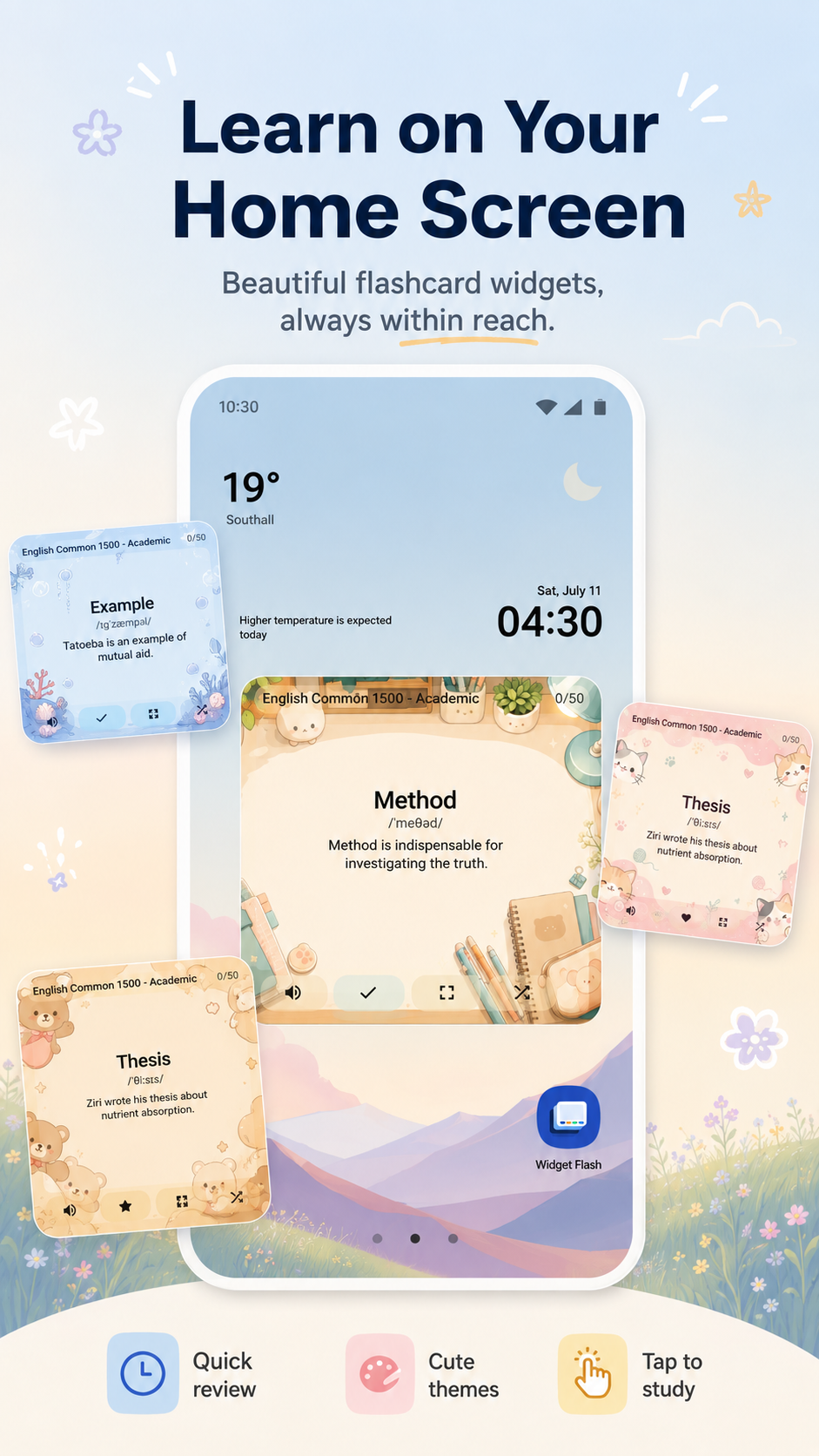
Learn right from your Android home screen.
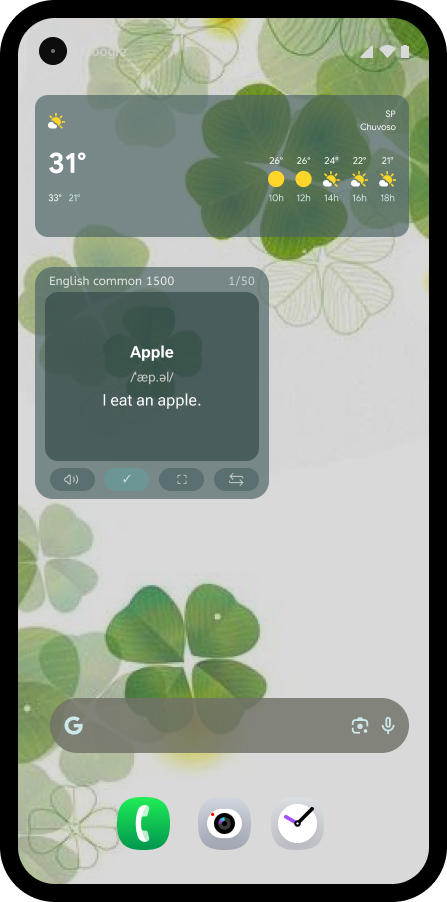
Add Widget Flashcards to the home screen, keep one vocabulary card visible, and review quickly with focused widget actions throughout the day.
 Widget Flashcards
Flashcard widget for Android
Widget Flashcards
Flashcard widget for Android
Learn vocabulary in short moments with home-screen flashcards, ready-made decks, custom cards, progress tracking, and quick review actions.
App features
Widget Flashcards combines everyday study screens with a practical Android widget so vocabulary stays close to the place you check most.
Home-screen widget
Add Widget Flashcards to the home screen, keep one vocabulary card visible, and review quickly with focused widget actions throughout the day.
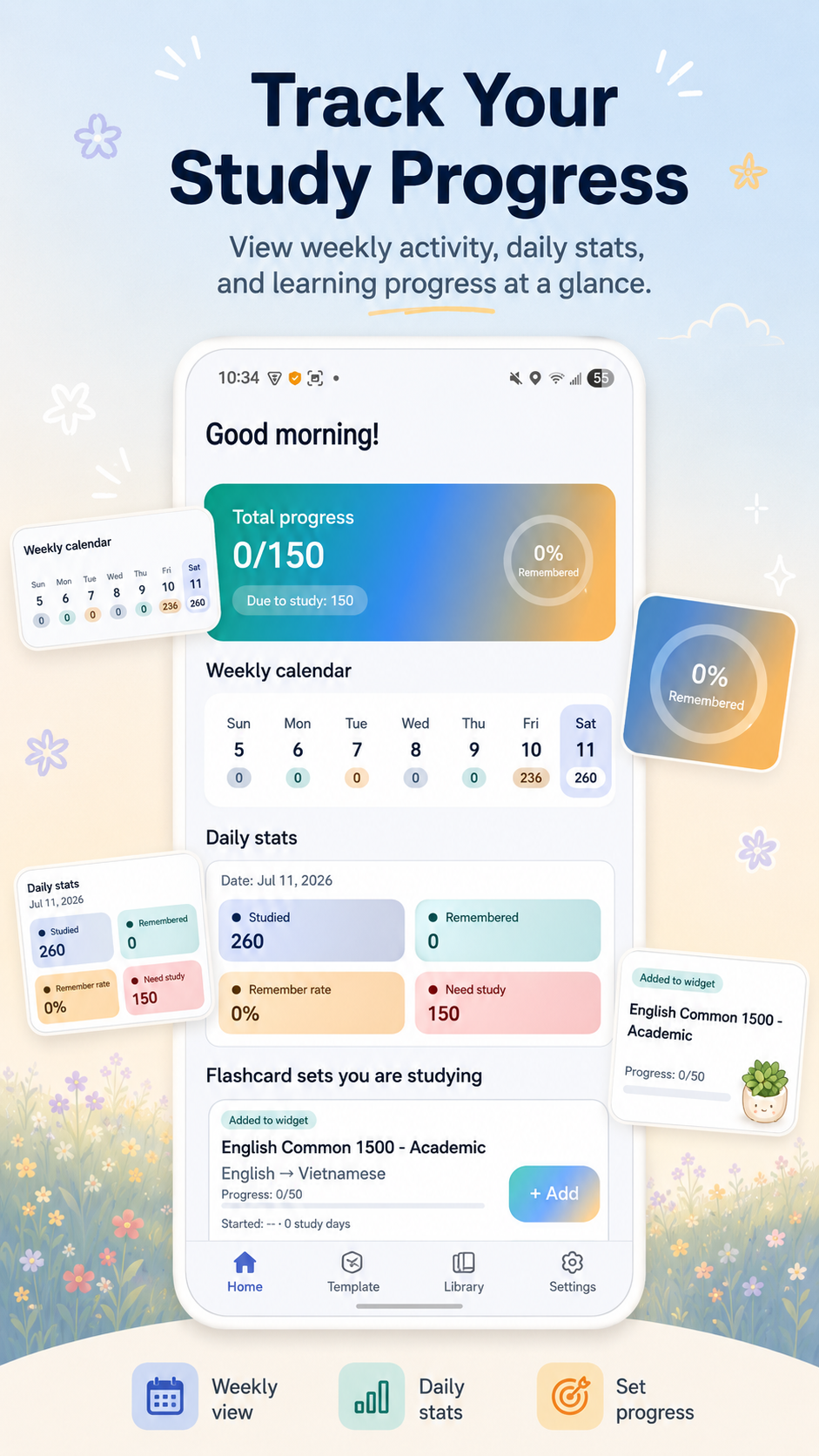
Track remembered cards, due cards, weekly activity, daily stats, remember rate, and the flashcard sets you are studying.
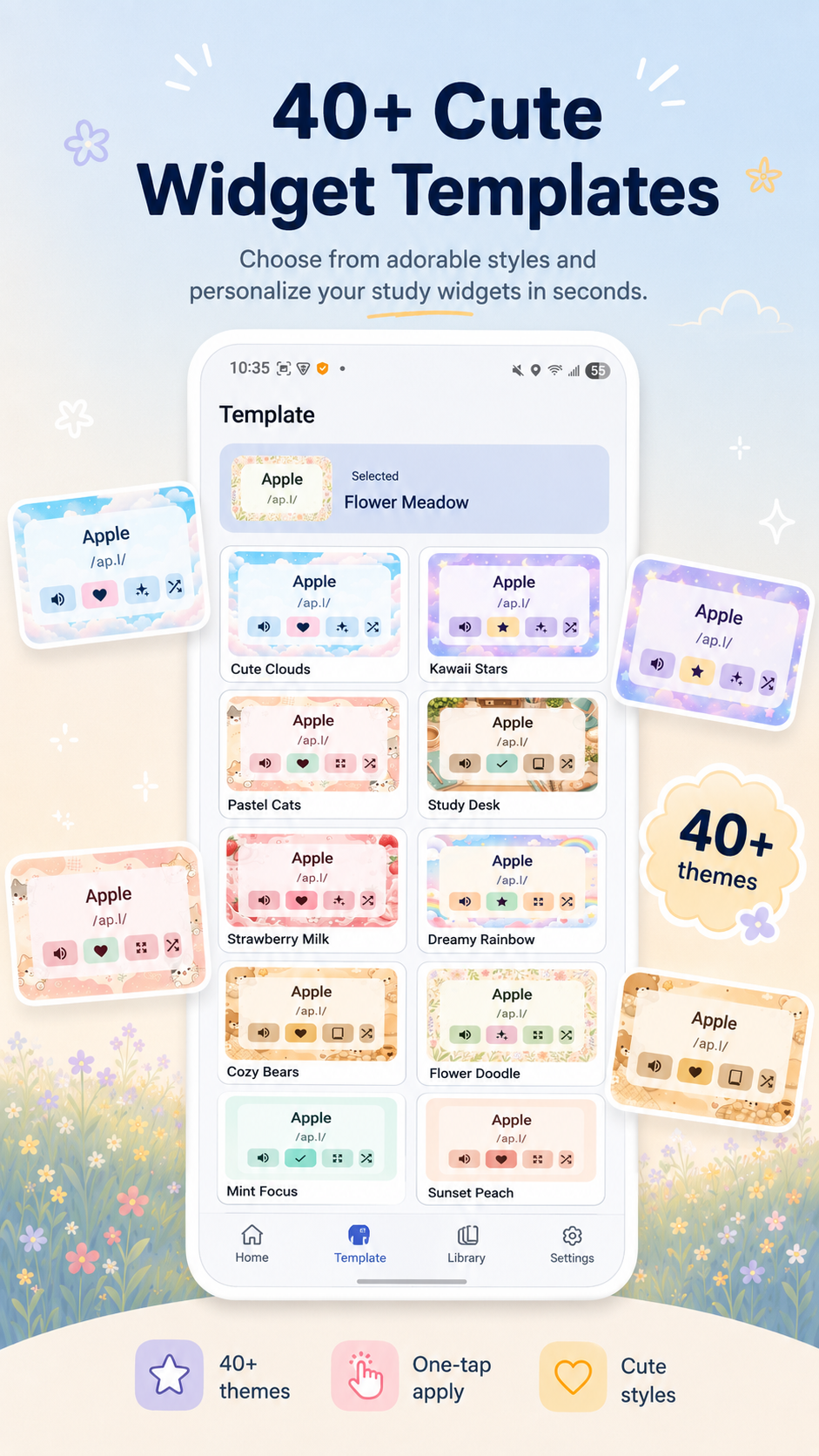
Choose a widget style, preview how cards look, and make the home-screen flashcard feel like part of your phone.
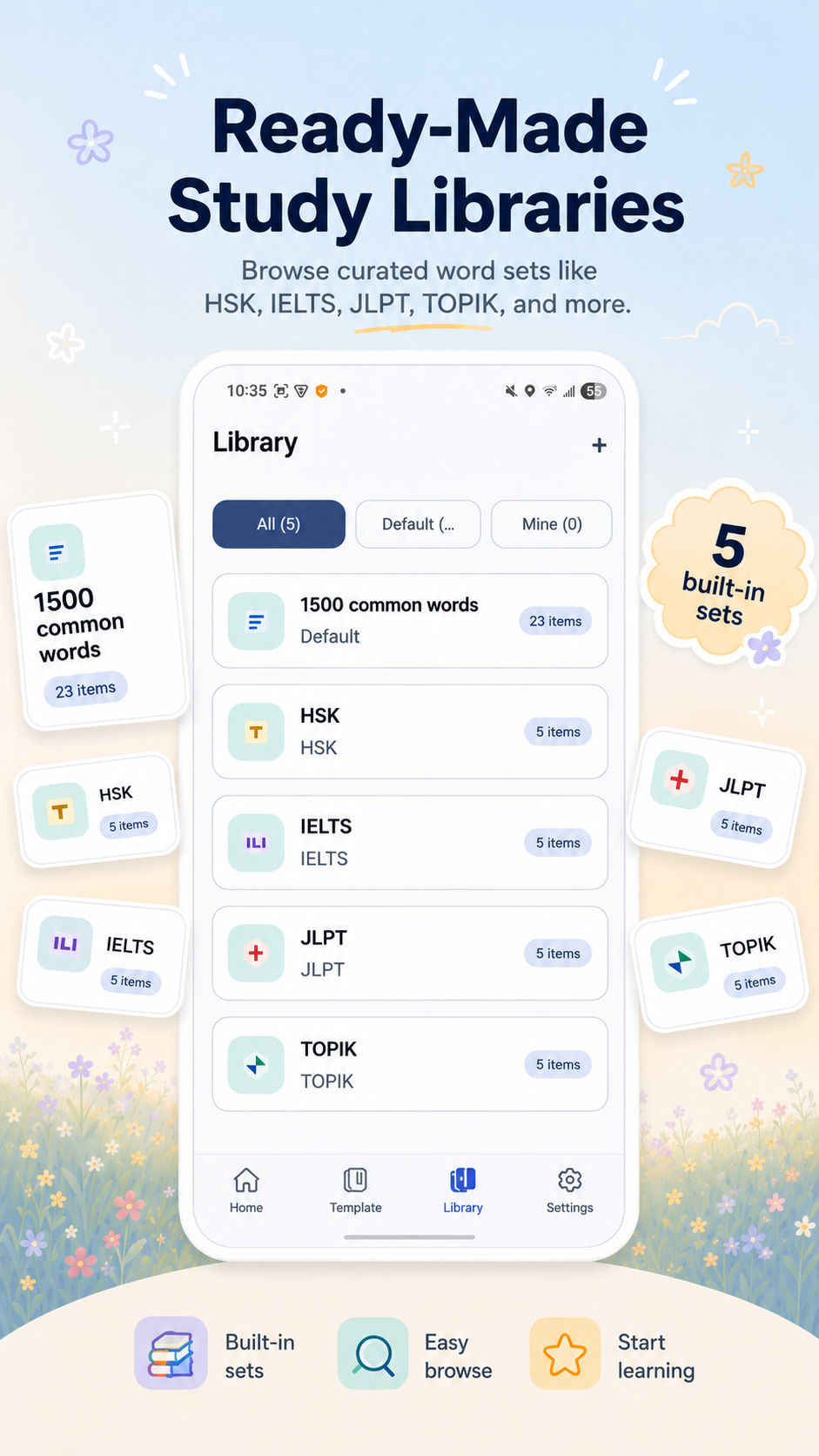
Start with Common 1500, HSK, IELTS, JLPT, TOPIK, or organize your own custom flashcard sets.
Set your native language, review cards with Remembered or Forgot, and keep widget behavior simple and focused.
Study content
Build a vocabulary routine from real decks, clear card fields, quick study actions, and a widget that keeps the next card visible.
Common 1500, HSK, IELTS, JLPT, and TOPIK packs are represented as built-in library content.
Cards can include word or phrase, meaning or translation, pronunciation, original example, translated example, topic, and tags.
Study supports tap to flip, pronunciation, review actions, Remembered, Forgot, Review, and Learn again flows.
App screens
Preview the core areas of the Android app: Home, Template, Library, and Settings.
Follow Total progress, Due to study, Weekly calendar, Daily stats, and the flashcard sets you are studying.
Pick a widget look, preview sample cards, and set the template you want on your Android home screen.
Browse Default and Mine collections, choose a ready-made set, or continue with personal decks and study status.
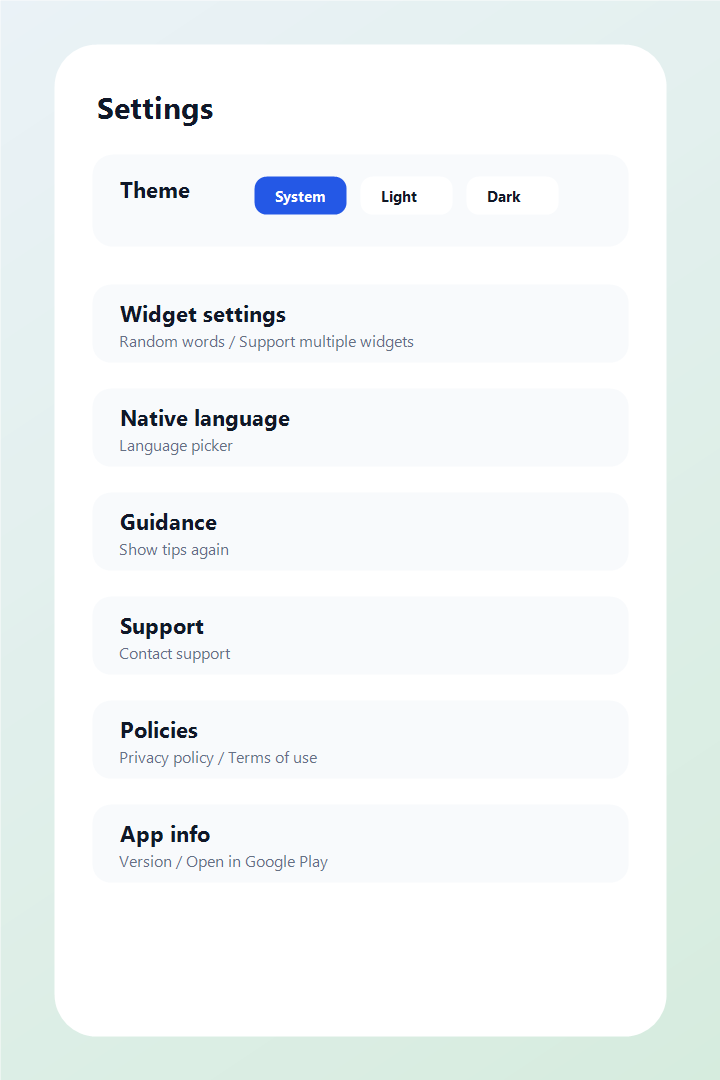
Adjust theme, widget behavior, native language, guidance, support, policy, and app information in one place.
Android vocabulary widget
 Download for Android
FAQ
Widget Flashcards is an Android vocabulary app that combines flashcard study screens with a home-screen widget for quick review.
The app lets users add a flashcard widget to the Android home screen, choose a card source and template, preview the widget, and review cards with widget actions.
The app includes ready-made vocabulary packs such as Common 1500, HSK, IELTS, JLPT, and TOPIK.
Yes. Users can create custom cards with a word or phrase, meaning or translation, pronunciation, examples, topic, and tags.
Yes. The Home tab includes total progress, due-to-study count, weekly calendar, daily stats, studied count, remembered count, remember rate, and need-study state.